Blog

  • Secure Forms Drive Lead Quality and Conversion Rates

    Secure Forms Drive Lead Quality and Conversion Rates

    Seventy-six percent of prospects won't complete a form they don't trust, according to Cisco's 2023 Consumer Privacy Survey — yet almost no demand generation strategy treats form security as a conversion lever. It gets filed under "IT's problem." Secure forms don't just prevent incidents; they directly improve lead quality, data accuracy, and pipeline reliability by changing who converts and how truthfully they convert. The causal chain — security → trust → compliance → lead quality → revenue — is measurable, compounding, and almost entirely unaddressed in how agencies build and manage client forms today. Marketing teams optimize fields and CTAs. Security reviews encryption settings. Nobody connects the two. This piece does.

    If you manage client websites and the forms on them, you're sitting at the intersection of both disciplines whether you realize it or not. And that's exactly where the opportunity lives.
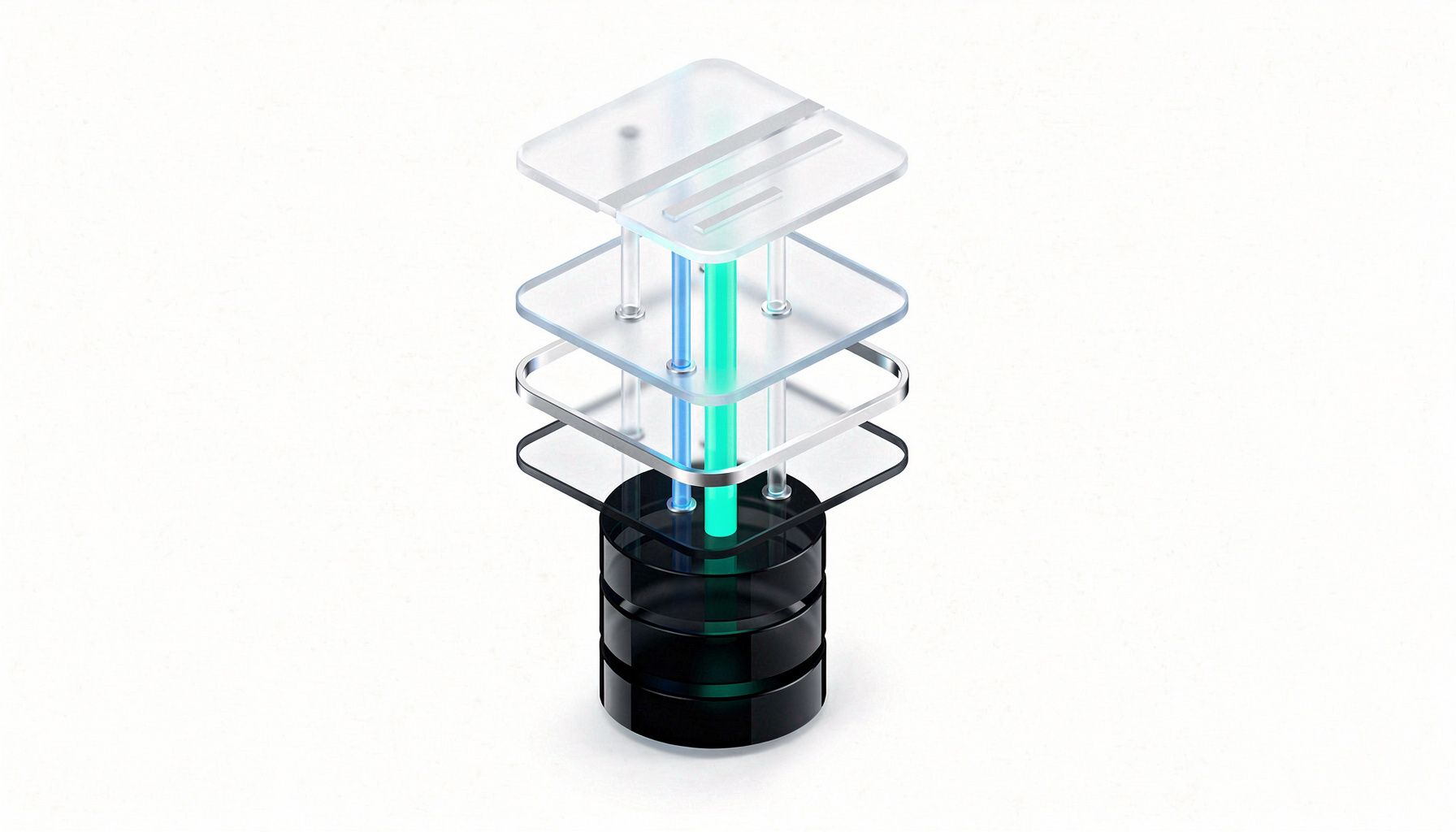
    A polished isometric illustration showing a web form floating above layered glass platforms, with trust signals like lock icons and consent checkboxes visible on the form surface, and glowing data pipelines flowing downward through color-coded security layers into a CRM database below

    Why Do Insecure Forms Degrade Lead Quality?

    The standard diagnosis when form submissions are garbage — bots, fake emails, incomplete data — is that targeting is off or the offer isn't resonating. That's often wrong. Up to 27% of web form submissions are bot-generated or fraudulent, according to Imperva's 2024 Bad Bot Report. This corrupts lead scoring, inflates customer acquisition costs, and wastes SDR time chasing dead ends. But the root cause isn't an audience problem. It's a security problem.

    The damage runs deeper than bots. A 2023 Pew Research Center survey found 81% of U.S. adults are concerned about company data practices, and 64% are more willing to share information when they perceive strong data practices — which means visible security signals directly expand the addressable audience for your clients' forms. The visitors who leave aren't random drop-offs — they're the high-intent prospects your clients most need to capture. As we covered in our piece on why high-intent visitors leave, the visitors who abandon aren't the casual browsers. They're the ones who care enough to notice the signals that something feels off.

    Then there's a gradual deliverability shift that's easy to miss: invalid emails from unsecured forms degrade sender reputation scores over weeks and months, quietly undermining every nurture sequence your client runs. Without proactive monitoring, sender reputation can shift gradually before anyone reviews open rates. We wrote about the broader mechanics of this in our breakdown of how insecure websites lose leads and what agencies can do about it.

    Understanding the regulatory landscape helps agencies position form security as a trust-building investment for clients, not just a compliance checkbox. Meeting these requirements protects your clients' businesses and builds customer trust. But the more practical concern for most agencies is simpler: when form security is neglected, pipeline data becomes unreliable, and nobody can pinpoint why.

    How Does Form Security Directly Improve Lead Conversion Rates?

    Here's where the standard conversation about form optimization misses the mechanism entirely. Existing advice focuses on fewer fields, better CTAs, progressive profiling — tactics that matter but ignore the deeper behavioral layer. Perceived security changes who converts and how truthfully they convert.

    The sequence works like this: visible security signals create perceived trust, which encourages higher-intent submissions, which produce more accurate data, which improves lead scoring, which drives higher conversion rates downstream. That's not theory. Forrester Research found in 2022 that companies using secure forms reported 25% higher lead conversion rates. Baymard Institute and CXL research consistently shows perceived security increases form completion by 11–29% when implemented as trust-affirming UX rather than obstructive gatekeeping.

    The behavioral science underneath is straightforward. Privacy calculus theory demonstrates that users weigh perceived risk against perceived value before sharing data. SSL indicators, trust badges, clear consent language, and recognized compliance certifications all reduce perceived risk without reducing perceived value. The result: better prospects complete the form, and they give accurate information when they do. Mercy Health, for instance, went from 65% to 88% form completion after implementing HIPAA-compliant forms through Formstack — with a 30% improvement in lead quality.

    Security and conversion are not opposing forces. They reinforce each other when security is designed as conversion architecture rather than bolted on as compliance overhead. This is, frankly, the most overlooked principle in demand generation strategy right now. Tools like seeshare help agencies identify exactly where client sites fall short on these security signals — from missing encryption indicators to broken trust elements — so you can show clients the specific gaps between their current forms and forms that actually convert.

    Can Security Friction Actually Filter for Higher-Intent Leads?

    This directly contradicts the dominant "reduce friction at all costs" narrative that most marketing platforms promote. But the contrarian position holds: deliberate security friction — consent acknowledgments, verification steps, transparent data-use disclosures — reduces total volume while eliminating low-intent fills, bots, and inaccurate data.

    The counterargument deserves fair treatment. Ben Thompson noted in Stratechery (2022) that over-secured forms with mandatory 2FA can increase abandonment by 15–20%. The resolution isn't choosing between security and usability. It's choosing the right implementation posture.

    Most agencies default to whatever the marketing automation platform ships — high bot rates, poor lead quality, compliance gaps. Some overcorrect with aggressive CAPTCHA and excessive required fields, spiking abandonment 20–40% before swinging back.

    The approach that works treats security as conversion architecture. Invisible bot mitigation replaces visible CAPTCHA. Trust signals become conversion rate optimizers. Progressive profiling reduces fields per interaction while building richer profiles over time. The result: higher completion, dramatically better lead quality, and a compliance posture that demonstrates due diligence.

    From what I've seen running scans across agency client portfolios, sites that look polished on the surface often have the most findings underneath — design quality and security posture simply don't correlate. A beautifully designed form sitting on a page with missing Content-Security-Policy headers and outdated JavaScript libraries sends invisible signals that erode trust in ways neither the agency nor the client can see without looking. Our deep dive into website security issues that silently kill conversion rates covers this dynamic in detail.

    How Should Agencies Handle Cross-Regulation Compliance at the Form Level?

    Your clients' forms don't operate in single-regulation vacuums, and neither should your approach. Here's a unified view across the regulatory environments that matter most at the form level.

    RegulationKey Requirement at CollectionForm Element NeededTrust Signal Opportunity
    **GDPR (Art. 25, 32)**Freely given, specific, informed, unambiguous consent; data protection by designAuditable consent capture with timestamp, policy version, specific opt-in"GDPR-compliant" badge; encryption indicator
    **CCPA/CPRA**Disclose data usage before submission; right to know at collectionPre-submission data use disclosure; opt-out mechanism"Your Data Rights" section
    **TCPA**Express written consent; specific disclosure languageRecorded consent with exact language; separate opt-in per channelVisible consent confirmation
    **HIPAA**PHI encryption in transit/at rest; audit trailsField-level encryption; role-based access; BAA with vendorHIPAA certification badge
    **PCI DSS v4.0**Script integrity; tamper detectionSubresource Integrity hashes; CSP headersPCI assessor security seal

    The regulatory environment is tightening. The EU AI Act, India's DPDPA, and evolving U.S. state privacy laws are all pushing toward greater consent granularity at the point of collection. When compliance language is implemented as trust-building UX rather than legal boilerplate, it increases conversion rates. That reframe is worth internalizing. seeshare's compliance scanning capabilities map findings directly to HIPAA and GDPR requirements, giving you a concrete way to show clients exactly where their forms and sites stand against regulatory frameworks.

    What Should Agencies Prioritize Right Now?

    Start with an assessment of every active client form against OWASP input validation guidelines — A01, A03, and A05 apply directly. Catalog what data each form collects, where it transmits, and where it's stored. Most agencies haven't done it.

    Deploy invisible bot mitigation before visible CAPTCHA. Honeypot fields, time-based submission analysis, and behavioral biometrics catch what matters. Design consent capture as a data object, not a checkbox — store timestamp, IP, form version, policy version, and the specific opt-in language displayed. This is the level of consent detail that demonstrates compliance maturity to regulators.

    First-party form data is appreciating in value as third-party tracking degrades. Safari's ITP, Chrome's Privacy Sandbox, and browser-native privacy controls are making the data your clients collect directly through forms more important than ever. Protecting that data is the foundation of reliable pipeline economics for every client you serve.

    The Bottom Line

    Secure forms are demand generation infrastructure, not IT overhead. The causal chain from security to trust to data quality to revenue is measurable and compounding, and agencies that help clients see this chain own the advisory relationship. The false tradeoff between security and conversion dissolves when you treat security as conversion architecture — invisible bot mitigation, progressive profiling, and trust-affirming UX outperform both unsecured and over-secured forms.

    First-party form data is the most valuable asset in a post-cookie demand gen stack, and every client form that lacks proper security, consent architecture, and bot mitigation represents an opportunity to improve data quality and protect revenue-generating assets. Agencies that connect form security to lead quality and compliance posture will differentiate in ways that matter. This isn't a service add-on — it's a positioning shift that changes how clients perceive your value and how long they stay.

    If you want to see where your clients' sites actually stand — not where you assume they stand — run a baseline scan with seeshare across your portfolio. The findings will reshape how you talk about security in your next client conversation. And that conversation is where retention and expansion revenue start.
  • Why High-Intent Visitors Leave: The Hidden Cost of Poor Website Trust

    Why High-Intent Visitors Leave: The Hidden Cost of Poor Website Trust

    The visitors abandoning your clients' sites aren't the ones who don't care. They're the ones who care most — the high-intent buyers with credit cards ready, tabs open, actively comparing options — and they evaluate trust signals more quickly and decisively than casual browsers — acting on what they find. A 2023 Akamai Technologies survey found high-intent users are 40% more likely to leave within the first 10 seconds compared to casual browsers, and Liferay's research shows 75% switch to a competitor when a site feels unsafe. The critical insight for agencies: this is a trust gap that doesn't surface in error logs, support tickets, or complaints — which is exactly why measuring it proactively creates such a clear advantage. It's routinely misattributed to pricing, copy, or ad targeting. The real issue is the gap between actual security and perceived security, and closing it is one of the highest-leverage moves an agency can make.

    This is a conversation that deserves far more attention in the agency world. We spend enormous energy optimizing headlines and CTAs while overlooking the trust infrastructure beneath those pages — the layer that shapes whether the visitors our clients are paying to acquire feel confident enough to convert.

    Why Are High-Intent Buyers More Sensitive to Trust Signals Than Casual Browsers?

    A casual browser risks nothing. They're skimming, killing time, maybe bookmarking something for later. But a visitor preparing to hand over credit card numbers or business data is running an unconscious risk assessment — and they're evaluating your client's site not as content, but as a counterparty in a transaction. Every broken element becomes evidence.

    And the switching cost is zero. High-intent visitors typically have three to five tabs open. They're in selection mode, not discovery mode. A competitor's clean, secure-feeling site is one click away. There's no loyalty friction, no sunk cost, nothing holding them to a page that makes them hesitate.

    The cultural shift following high-profile incidents like the Equifax and Target breaches has fundamentally rewired user behavior. A Pew Research Center survey found 64% of Americans were more concerned about online security than in 2019. Google's Transparency Report flagged over 1.5 billion unsafe sites in 2022 through Safe Browsing alerts. Your clients' visitors carry a baseline security awareness shaped by those incidents and a decade of phishing emails. They don't need to articulate it — they just close the tab. As we explored in our piece on how insecure websites lose leads and what agencies can do about it, the departure is silent, and identifying it early gives you a clear path to improvement.

    How Do Visitors Evaluate Website Safety in Under 3 Seconds?

    Research from the Stanford Web Credibility Project and the Baymard Institute converges on what I think of as a Trust Signal Hierarchy — a layered model visitors unconsciously process when deciding whether to stay or leave.

    The layers work like this. Layer one is infrastructure trust — TLS configuration, load time, uptime — and it's binary pass/fail. Layer two is visual trust — modern design, professional typography, no layout shifts — processed as a heuristic. Layer three is institutional trust — recognizable brand, trust badges, reviews — serving as social proof. Layer four is transactional trust — familiar payment processors, clear refund policy — the final risk mitigation step before conversion.

    Here's what matters most for agency leaders: failure at Layer 1 means Layers 2 through 4 are never evaluated. A Nielsen Norman Group 2023 UX Report found 80% of users intending to complete a transaction will leave if a site fails to load within 3 seconds or displays security warnings. Browser warnings trigger near-100% abandonment among high-intent users. Your client could have the most beautiful design, the strongest brand recognition, and the most generous refund policy on the internet — none of it matters if the infrastructure layer fails.

    But the most commonly overlooked failure mode isn't a blatant security warning. It's the technically secure site that still feels unsafe. Proper SSL but aggressive pop-ups. Valid certificates but outdated design patterns from 2016. Working HTTPS but missing contact information, stale content dates, or generic stock photography that signals "this company might not be real." This perception gap is one of the most valuable problems agencies can solve — and one that very few address comprehensively. We wrote about this exact dynamic in depth in our coverage of website security issues that silently kill conversion rates, and the pattern keeps showing up.

    From running scans across client sites through seeshare, one thing stands out consistently: sites that look polished on the surface often have the most findings underneath. Design quality and security posture don't correlate. An agency can build a visually stunning site carrying multiple findings — missing security headers, outdated libraries, and mixed content warnings that degrade the padlock icon — and without a baseline scan, those gaps stay invisible. Running one reveals exactly where the issues are so you can address them before they affect conversions.

    What Does Poor Website Trust Actually Cost a Business?

    The revenue impact is measurable and cumulative. A Statista survey from June 2023 found 72% of global internet users have abandoned a website due to security concerns. Forrester Research documented a 25% increase in cart abandonment on sites lacking security badges compared to 2021. A 5% abandonment increase among high-intent visitors can represent 15 to 30% of incremental revenue loss due to their disproportionate conversion value. These aren't casual browsers bouncing off a blog post — these are the visitors your clients' ad budgets were specifically designed to attract.

    The case studies make the cost concrete. Walmart's internal reporting showed 30% abandonment among high-intent users due to perceived instability. After deploying prominent trust signals and speed improvements, abandonment dropped to 12%, per Retail Dive's June 2023 reporting. The security improvements were real — and so was the perceptual work that made them visible to users.

    And that's the real risk for agencies. Your clients blame pricing, copy, or ad targeting because there are no error logs for "user felt uneasy and closed a tab." This is the diagnostic insight you can bring to client conversations — the ability to say "your site may be technically functional, but here's what your highest-value visitors are actually experiencing." Tools like seeshare let you run a baseline scan before a client pitch to demonstrate exactly where a site's trust infrastructure stands, turning an invisible problem into a visible, actionable finding. Our breakdown of why CRO fails when security weaknesses go unaddressed covers the misattribution problem in detail — it's worth sharing with any client who's frustrated by unexplained conversion drops.

    How Should Agencies Approach Website Trust as a Strategic Discipline?

    Most agencies land somewhere on a maturity spectrum, and understanding where your practice sits — and where your clients need you to be — determines whether trust becomes a differentiator or a liability.

    Maturity LevelDescriptionOutcome
    **Security-as-Afterthought**Bolt on SSL, add a trust badge, move onBrittle — certificates lapse, badges link to expired verifications, mixed content silently degrades the padlock
    **Compliance-Driven Minimum**Pass PCI DSS or SOC 2 audits, check the boxTechnically correct but misses perceptual security entirely — a compliant site can still feel unsafe
    **Trust-as-UX-Architecture**Treat perceived security as a core metric monitored and iterated like performance or accessibilityOptimal — trust signals are designed, tested, and embedded in CI/CD pipelines alongside every other UX metric

    The regulatory landscape is creating new opportunities for agencies to differentiate sooner. Meeting EU Digital Services Act requirements, effective August 2023, positions your clients as trustworthy partners in the EU market. The FTC Safeguards Rule update, effective June 2023, and PCI DSS v4.0's raised baseline requirements for sites handling cardholder data reinforce the case for treating trust as a strategic practice. Agencies that can assess and advise on compliance and perception will be best positioned in those client conversations. As we covered in our guide to website security as a marketing problem, the agencies winning this conversation are the ones framing security as a revenue discipline, not an IT task.

    What's coming next should shape how you advise clients today. Browser warnings continue to escalate as Chrome and Firefox amplify visual penalties for trust-signal failures, while passkeys and WebAuthn are creating a bifurcation where sites offering modern authentication will be perceived as fundamentally safer. At the same time, AI-generated phishing sites are raising baseline consumer suspicion of all unfamiliar sites — making trust signals on legitimate sites more important than ever — and privacy-as-trust-signal, visible in Safari and Firefox dashboards showing third-party tracker counts, will increasingly influence high-value buyers in regulated industries.

    With seeshare, agencies can automate scanning across multiple client sites through Sales accounts and generate white-label branded reports delivered under your agency's name, mapping findings to specific compliance controls so you can show clients exactly where they stand. That's not a product pitch — it's the operational infrastructure that makes trust-as-a-service actually deliverable at scale.

    The Bottom Line

    The visitors leaving aren't the indifferent ones. High-intent buyers process trust signals in under three seconds and leave at higher rates than casual browsers when anything feels wrong — which means your clients' ad spend is acquiring exactly the visitors most sensitive to trust gaps no one is measuring. The highest-leverage trust improvements in 2024 and 2025 won't come from SSL certificates alone; they'll come from closing the perception gap, where technically compliant sites still feel unsafe through outdated design, aggressive UX patterns, or missing institutional signals. That's the diagnostic territory agencies are best positioned to own. When trust is treated as an operational metric — monitored in real time, correlated with conversion data, triaged with the same urgency as downtime — it becomes infrastructure, not an afterthought. The question isn't whether your clients' sites are secure. It's whether their highest-value visitors believe they are. That's the gap worth closing — and the conversation worth starting. Run a baseline scan on a client site with seeshare to see where the trust gaps are, then share this piece with a client exploring why conversions aren't matching their traffic. The data will speak for itself.

  • Outdated Plugins Are Killing Your Landing Page Performance

    Outdated Plugins Are Killing Your Landing Page Performance

    Marketing teams optimize headlines, test CTA colors, and A/B test hero images — while the technical foundation beneath their clients' landing pages gradually weakens. When conversion rates drop, the diagnosis is almost always "ad fatigue" or "audience mismatch." It's almost never "that slider plugin hasn't been updated in fourteen months and is injecting three seconds of render-blocking JavaScript." But it should be. Over 60% of known WordPress security findings stem from outdated plugins, and the average landing page loads 15–30 third-party scripts — each one a dependency and a potential failure point. Security, performance, and campaign ROI aren't three separate conversations. They're a single system — and understanding how they connect gives agencies the ability to protect all three at once.

    If you're an agency managing paid campaigns for clients, this matters enormously. A compromised landing page doesn't just create a security incident — understanding the full chain of effects helps agencies protect ad spend, maintain Quality Scores, preserve analytics integrity, and keep accounts in good standing. And here's the content gap no one has filled: nobody currently maps the full chain from unpatched plugin to campaign impact. This piece does.

    Why Are Landing Pages More Vulnerable Than the Rest of a Client's Website?

    The answer is deceptively simple: nobody owns them. Marketing owns the campaign strategy. Engineering — if the client even has engineering — owns the infrastructure. The plugin lifecycle on campaign-specific pages? That falls into a gap between the two, and it stays there. Tools get added by contractors, by a developer who left six months ago, by someone testing a heatmap integration during a sprint that ended two quarters back. Nobody revisits them.

    Stack sprawl makes it worse. HubSpot's 2023 data found 78% of marketers use at least five third-party tools per landing page. HubSpot's data also suggests that a significant share of loaded scripts — potentially 30–40% — serve no current purpose on many marketing pages, artifacts of past campaigns that were never cleaned up. Every chat widget, retargeting pixel, consent manager, and analytics snippet is an attack surface expanding silently. And campaign velocity punishes the kind of maintenance that would catch this: quarterly targets mean every sprint builds new pages rather than scanning existing ones. According to that same HubSpot survey, 45% of marketers rarely update tools unless prompted by a security alert.

    For agencies, this creates a specific problem. You're often inheriting a client's existing landing page infrastructure — pages built by a previous agency, an in-house team, or a freelancer long gone. The plugins and scripts loaded on those pages are now your liability, whether you installed them or not. As we covered in our piece on how insecure websites lose leads, invisible technical decay is one of the most common reasons qualified prospects never make it through a conversion funnel.

    What Happens When an Outdated Plugin Gets Exploited? The Full Incident Progression

    This is, frankly, the most underreported aspect of landing page security. Plenty of content covers "keep your plugins updated." Almost none traces what actually happens — stage by stage — when that advice gets ignored.

    Stage 1: The unpatched exposure window opens. A plugin update is skipped. A CVE gets published. As of 2024, the gap between CVE publication and mass exploitation has compressed to hours, not weeks (Mandiant M-Trends 2024). Patchstack's 2023 report found that 27% of critical WordPress findings came from abandoned plugins where no fix even exists. The window isn't just open — for some plugins, it can never be closed.

    Stage 2: The landing page is compromised. Sucuri's 2023 report found 43% of hacked websites were compromised via outdated third-party components. On landing pages specifically, this means injection attacks, defacement, and Magecart-style data skimming on lead-capture forms — the exact forms your clients' ad spend is driving traffic toward.

    Stage 3: Visitor experience degrades. Browsers may display security warnings. Core Web Vitals suffer as compromised scripts add latency — Google's research shows 53% of mobile visitors abandon pages loading over three seconds. We covered this dynamic in our analysis of website security issues that silently kill conversion rates.

    Stage 4: Ad platforms respond. Google Ads, Meta, and LinkedIn detect compromised landing pages and can issue ad disapprovals or Quality Score adjustments. Understanding how platform enforcement works lets agencies protect campaigns proactively — this is where scanning before launch pays for itself.

    Stage 5: Compliance and trust implications surface. Proactive compliance protects client relationships and builds customer trust. The cost of gaps is well-documented — British Airways' £20 million penalty following a third-party script compromise illustrates how quickly regulatory exposure scales. For agencies, maintaining compliance readiness strengthens the client relationship: demonstrating proactive oversight is a positioning advantage.

    How Much Does a Compromised Landing Page Actually Cost a Campaign?

    The immediate cost is wasted ad spend — every click sent to a compromised or slow-loading page is budget that can't convert. Poor Core Web Vitals push pages out of top ad positions, increasing CPC to compensate. The WooCommerce Payments plugin vulnerability in July 2022 affected over 500,000 sites, with losses averaging $10,000 per affected business.

    But the cost most agencies overlook is attribution poisoning. A compromised tracking plugin can corrupt the data your team uses to make optimization decisions — you scale losing campaigns, deprioritize winners, and the impact stays invisible because the data looks plausible. Our breakdown of how hacked websites corrupt SEO data covers the organic side; the paid side is equally significant.

    Running a baseline scan with seeshare before launching a campaign surfaces these hidden risks as findings you can address before they affect ad budget.

    Why Does This Keep Happening — And Who Actually Owns the Fix?

    The organizational gap is the root cause. Campaign owners aren't responsible for security, and this gap is where risks accumulate. In scans run through seeshare, outdated JavaScript libraries show up frequently — especially on WordPress sites with older plugins. Sites that look polished on the surface often have the most findings underneath.

    Update fear compounds the problem: a past update that broke a layout creates lasting aversion. "It's working, don't touch it" becomes the default. And 41% of SMBs believe updating costs outweigh the risk — which means your clients may resist the maintenance their sites need. Your ability to show them the findings is what gets buy-in.

    What Should Agencies Do Right Now?

    The most impactful starting point is removal, not remediation. The safest plugin is the one you delete. Eliminating tools from expired campaigns that were never cleaned up is the single highest-leverage action an agency can take, and it requires zero budget — just an inventory and a conversation with the client.

    From there, building a clear picture of every dependency is essential. Tools like BuiltWith, Wappalyzer, or HAR analysis let you catalog every script and external call on each client landing page, scoring each by PII access, last update date, and measured performance cost via Lighthouse. If you're managing multiple client sites, seeshare automates scanning across all of them and generates branded reports you deliver under your agency's name — turning what would be a manual process into a repeatable service offering.

    On the hardening side, Content Security Policy headers and Subresource Integrity checks provide strong protection against supply-chain injection. Missing CSP headers are the single most common finding across scans we run — and one of the easiest wins to demonstrate to a client.

    These efforts compound when scanning is integrated into campaign workflows. As we detailed in our guide to website security assessments, recurring scanning shifts the security conversation from reactive to proactive. And every plugin should have a named owner — if no one claims it, flag it for the client in writing.

    The Bottom Line

    The highest-performing landing page is one compromised plugin away from becoming a liability. Security, performance, and campaign ROI are a single system — not three separate disciplines, and not three separate line items on a proposal.

    Ad platform consequences are real and systematically underreported. Understanding how platforms respond to compromised pages lets agencies protect campaigns proactively — this is the angle most agencies miss, and the one that resonates most in client conversations.

    Automated, continuous dependency scanning matches the speed of modern threats — giving agencies clarity instead of catch-up.

    Looking ahead, as browser enforcement accelerates, the EU Cyber Resilience Act takes effect in 2027, and SBOMs cascade into martech procurement, agencies that treat third-party tools as liability vectors rather than free enhancements will have a decisive competitive advantage. The agencies positioned to advise clients on this shift — with data, with scans, with proof — will own the conversation.

    If you're managing landing pages for clients and haven't scanned them recently, start there. Run a baseline scan with seeshare on your highest-traffic client sites, surface the findings, and bring them to your next client meeting. That single conversation — backed by real data, delivered in plain language — is how you turn website security from an invisible cost center into a visible trust signal that retains accounts and wins new ones.

  • Website Security Issues That Silently Kill Your Conversion Rates

    Website Security Issues That Silently Kill Your Conversion Rates

    Websites with security warnings convert at 40% lower rates than secure counterparts — even when both run identical CRO optimizations, according to Optimizely's 2023 Digital Experience Report. That single data point should fundamentally change how you pitch optimization services to your clients. It means every A/B test, every funnel refinement, every landing page redesign you deliver has an opportunity your CRO process hasn't yet accounted for — one that starts with the security layer underneath.

    If you're an agency owner, MSP, or consultant managing client websites, this creates a significant opportunity: if you can identify where security posture is suppressing conversion performance, you can unlock gains your competitors can't. And the problem persists because of organizational siloing — your clients' security teams (if they exist) report to one stakeholder, their marketing teams report to another, and neither speaks the other's language. Security talks in CVEs and CVSS scores. Marketing talks in conversion lifts and revenue per session. You're often the only party with visibility across both, which makes this your opportunity.

    "When you address security findings alongside conversion optimization, you unlock the full return your work is capable of delivering. Trust is the foundation — and strengthening it amplifies every optimization decision you make."

    Why Can't CRO Teams Find the Real Conversion Ceiling?

    When your clients see declining conversion rates, the instinct is predictable: assess the funnel, test new headlines, rework CTAs, redesign the checkout flow. Almost no one checks the security posture. Yet a Harris Poll from 2023 found that 76% of consumers will abandon a purchase if they perceive a site as insecure. Cloudflare's Internet Insights Report puts it even more starkly — 68% of users abandon sites entirely after encountering a security warning.

    The disconnect is structural. CRO practitioners operate within analytics dashboards, heatmaps, and testing platforms. They see symptoms — low form completion rates, abandoned carts, drop-off at checkout — but the cause frequently lives in a layer they never examine. A WAF misconfiguration silently blocking form submissions looks identical to a poor form design in your analytics. A Content Security Policy error breaking an A/B testing script means your client's optimization tool isn't even running — and nobody notices because the page still loads.

    This is where your advisory role becomes critical. When you run a baseline scan on a client's site using seeshare, you can identify security findings that directly map to conversion friction — mixed content warnings on checkout pages, redirect chains adding latency, CSP violations breaking analytics scripts. That scan gives you a concrete, data-backed reason to expand the conversation beyond design and copy into the infrastructure that makes design and copy work. For a deeper exploration of this dynamic, see our breakdown of why CRO fails when website security weaknesses go unresolved.

    What Security Issues Suppress Conversions Without Appearing in Standard CRO Assessments?

    The most damaging security-CRO interactions fall into three categories, and understanding them positions you to advise clients with specificity rather than vague warnings about "staying secure."

    Trust erosion operates at the behavioral level. Expired SSL certificates, missing padlock icons, absent trust seals, and browser "Not Secure" warnings trigger learned avoidance that no amount of copy optimization overcomes. Baymard Institute research consistently attributes approximately 18% of cart abandonments to users not trusting a site with payment information. This isn't a design problem. It's a security-induced psychological barrier that compounds with rising user sensitivity — Pew Research found 81% of internet users express concern over data privacy, and as users grow more security-aware, their sensitivity to trust signals on checkout pages has increased correspondingly. Your clients' checkout pages may be beautifully designed — and you have the opportunity to recover up to one in five potential customers by aligning the security layer with the trust signals your design already communicates.

    Technical friction operates at the mechanical level. This is where the most insidious conversion suppression happens because it's genuinely invisible to standard CRO tooling. Overly aggressive WAFs block legitimate form submissions — your client's contact form isn't broken from a design perspective, but submissions from certain IP ranges or with certain characters never arrive. CSP errors silently prevent third-party scripts from executing, which means analytics tools, personalization engines, and A/B testing platforms may not be running on every page. Redirect chains from HTTP-to-HTTPS migrations add latency that degrades Core Web Vitals. CAPTCHA challenges create measurable drop-off that CRO teams attribute to "form friction" without recognizing the security layer as the source. We've written extensively about how broken contact forms create silent revenue leaks and how insecure websites lose leads in ways agencies miss — both worth reading if you're seeing unexplained form completion drops across client sites.

    Analytics corruption operates at the data integrity level. This is the angle almost no one covers, and it's arguably the most damaging. When security findings allow bot traffic or session manipulation, your A/B test data becomes unreliable. CRO teams make optimization decisions based on unreliable data — choosing the "winning" variant that only won because bots inflated its metrics. This compounds over time as each decision built on unreliable data pushes the optimization program further from reality. As CRO becomes more dependent on AI personalization engines, this makes data integrity validation a critical part of any AI-driven personalization strategy.

    What Does Security Suppression Actually Cost Over a 12-Month CRO Program?

    The case evidence is instructive. Equifax's post-breach CRO campaigns still underperformed competitors by 25% as of 2023 — illustrating why resolving security findings proactively protects the value of ongoing optimization investments. When over 2,000 Magento-based stores were compromised via plugin exploits in 2021, conversion rates dropped 50% during the attack period despite fully optimized checkout flows. British Airways saw 15% lower CRO engagement even after recovery, and Ponemon Institute data shows 12-to-24-month average recovery timelines for mid-market brands.

    But the more relevant framing for your client conversations isn't the worst-case incident. It's the quiet, ongoing friction. If a client is investing meaningfully in CRO services and unresolved security findings are limiting what those optimizations can achieve, addressing them creates compounding gains. Depending on the client's traffic and average order value, the additional value recovered by resolving these findings can reach six to seven figures over a 12-month program. Resolving those findings lets you demonstrate measurable lift your client wouldn't have seen otherwise — reinforcing your value as a strategic partner.

    This reframe changes the conversation from "security is an IT cost" to "security is a conversion variable that amplifies the ROI of everything else you're investing in." For a broader view of how security findings affect not just conversions but organic visibility, our analysis of website security as an SEO discipline covers the compounding effects across channels.

    How Do You Build Security Into Your CRO Delivery Model?

    The practical integration starts with mapping every user-facing conversion path and identifying where security controls introduce friction or trust gaps at each stage. This means cataloging redirect chains, mixed content warnings, CSP violations visible in browser consoles, WAF false-positive rates on form submissions, CAPTCHA placement and solve rates, and third-party script integrity. seeshare automates much of this discovery across multiple client sites, generating branded reports you deliver under your agency's name that frame findings in business terms rather than severity scores.

    The critical shift is quantifying in revenue, not severity scores. An expired certificate on a subdomain serving checkout assets is not a "low severity finding" — it's a revenue event. When you present findings to clients as "this misconfiguration is likely contributing to the 18% trust-related abandonment rate on your checkout page" rather than "you have a medium-severity SSL configuration issue," you speak a language that gets budget allocated and builds your authority as a strategic advisor, not just a technical vendor.

    Testing security as a conversion variable is the next frontier. A/B test trust badge placement and design. Test security-focused copy in checkout flows. Measure the full-funnel impact of reducing authentication friction. Almost no agency is doing this systematically, which represents a major competitive gap you can fill.

    One area that demands attention in 2025: script governance. PCI DSS 4.0's requirement 6.4.3 — mandating integrity verification of all scripts on payment pages — is now enforced as of March 2025. This means Subresource Integrity hashing for third-party scripts and Content Security Policies strict enough to prevent injection but permissive enough for legitimate CRO tooling. For any client processing payments, meeting PCI DSS 4.0's script integrity requirements positions them as trustworthy payment processors and ensures their CRO tooling functions as intended.

    And a critical caution: avoid over-hardening. Aggressive bot mitigation forcing repeated CAPTCHA challenges suppresses conversion rates while technically "improving" security metrics. Recommend invisible risk scoring like reCAPTCHA v3 on conversion-critical pages. The goal is the optimal balance — protection without friction — and your ability to find that balance is what differentiates you from agencies that treat security and growth as separate concerns.

    The Bottom Line

    Security is not a precondition you help clients satisfy once — it is an ongoing, measurable conversion variable that compounds or suppresses every CRO investment your agency delivers. The 40% conversion gap Optimizely documented between secure and insecure sites with identical optimizations represents the single largest untapped opportunity in most agency portfolios.

    The agencies that unify security and growth under shared dashboards, shared KPIs, and a common language built around revenue impact will unlock returns invisible to competitors still treating these as separate disciplines. Browser trust expectations and compliance standards are converging in 2025 to make security-aware CRO delivery not a nice-to-have but a baseline expectation from sophisticated clients.

    Run a baseline scan on a client site with seeshare before your next CRO proposal. When you can show a prospect exactly where their security posture is suppressing conversion performance — with specific findings mapped to specific revenue impacts — you're not pitching another optimization engagement. You're demonstrating a capability their current agency doesn't have. That's how you win the account, and that's how you keep it.

  • Why CRO Fails: Website Security Weaknesses Kill Conversions

    Why CRO Fails: Website Security Weaknesses Kill Conversions

    Security-driven CRO failure is the measurable decline in conversion rate optimization outcomes caused by unresolved website security weaknesses — including trust erosion, polluted test data, and invisible technical friction — even in the absence of a security incident. If you're running CRO programs for clients and the numbers refuse to move, the problem may not be their headlines, CTAs, or checkout flow. It may be a security posture issue you can diagnose and resolve.

    Here's what the data shows for agencies investing heavily in conversion optimization: 87% of consumers will take their business elsewhere if they don't trust a company's data handling (PwC, 2023), and 65% abandon transactions entirely upon encountering a security warning (Harris Poll/Google, 2023). Button-color testing becomes significantly less effective when there's an infrastructure-level trust deficit. The organizational silo between security teams and marketing teams is why this persists — and why agencies that bridge this gap will outperform everyone still treating security and CRO as separate disciplines.

    This article maps the three mechanisms that connect security weaknesses to CRO failure — trust erosion, platform instability, and technical friction — and gives you a framework for diagnosing and resolving these issues across your client portfolio.

    How Do Website Security Issues Suppress Client Conversion Rates?

    The connection between security posture and conversion performance operates through three distinct mechanisms. Understanding all three is what separates agencies that can actually diagnose CRO failures from those that keep running tests on broken foundations.

    Trust erosion is the instant conversion killer. When your client's site serves an expired TLS certificate, displays a browser "Not Secure" warning, or loads mixed content on checkout pages, visitors leave. The Baymard Institute consistently reports that 18–19% of cart abandonments stem specifically from users not trusting the site with payment information. Google's 2023 Transparency Report shows unsafe browsing warnings were displayed over 1.5 billion times in 2022. These aren't edge cases — they're everyday realities for sites with lapsed security hygiene, and they make every CRO dollar your client spends significantly less effective.

    Platform instability pollutes test data. Unpatched security findings, injected scripts via XSS or compromised third-party tags, and inconsistent session handling create non-deterministic site behavior. Pages load differently across sessions. Forms break unpredictably. CRO teams see wild variance in A/B test data — not from test variables, but because the underlying platform is unstable. Your team draws false conclusions, implements "winning" variants that won based on noise, and the client sees no improvement. A 2023 Forrester report found that 40% of mid-sized businesses still lack basic security implementation, directly degrading CRO outcomes through this instability.

    Technical friction creates invisible funnel leaks. Misconfigured WAFs block legitimate form submissions — a problem we've explored in depth when it comes to contact forms. Aggressive CAPTCHAs on mobile introduce abandonment points. Broken Content Security Policies disrupt embedded payment processors and chat widgets. Forrester's 2023 Digital Trust Report found this security friction reduces conversion rates by up to 25%. Your CRO team never sees these issues because the source is infrastructural, not experiential.

    When you're managing multiple client sites, seeshare lets you run baseline scans across your entire portfolio and map findings to the specific pages where conversions are dropping — turning a vague "something's wrong" into a concrete diagnostic.

    MechanismWhat HappensCRO ImpactVisibility to CRO Teams
    **Trust Erosion**Browser warnings, expired TLS, missing padlockImmediate abandonment; 18–19% of cart dropsHigh — if they know to look
    **Platform Instability**Injected scripts, broken sessions, inconsistent loadsPolluted A/B data, false test conclusionsVery low — appears as "noise"
    **Technical Friction**WAF false positives, CAPTCHA drops, CSP breaksUp to 25% conversion reductionNearly invisible without security scan data

    How Can Security Tools Unintentionally Reduce Client Conversions?

    Here's where the conversation gets nuanced — and where you can genuinely differentiate your agency's advisory value. The tools designed to protect your clients' sites can themselves destroy conversion rates. Bruce Schneier noted in a June 2023 analysis that overzealous measures like excessive multi-factor authentication can cause a 5–10% conversion drop. This is the security-CRO paradox, and most organizations haven't found the balance.

    Aggressive bot protection challenges increase abandonment even as they clean analytics data. Overly strict WAF rules reject legitimate international character inputs — a real problem for clients with global audiences. Client-side protection scripts designed to prevent formjacking add weight that degrades Largest Contentful Paint and Core Web Vitals scores, which directly impacts both SEO and conversions.

    The goal is security that's invisible to the user but comprehensive beneath the surface. When you're advising clients, this framing changes the conversation entirely. You're not asking them to choose between security and performance — you're showing them that poorly implemented security is the problem, not security itself.

    Security Tool CategoryConversion BenefitConversion Risk
    **WAFs** (Cloudflare, Imperva)Blocks malicious traffic skewing analyticsFalse positives block legitimate buyers
    **Bot Management** (DataDome, HUMAN)Cleans conversion dataAggressive challenges increase abandonment
    **Client-Side Protection** (Jscrambler)Prevents formjacking on checkoutAdded script weight degrades LCP
    **Security Scanners** (without CRO context)Identifies instability and trust issuesNo conversion mapping; findings sit in IT backlog

    This table is your talking point in client strategy meetings. When clients push back on security investments, you're showing that the absence of proper security tuning is actively costing them revenue.

    What Does Post-Incident Conversion Data Teach Us About Proactive Strategy?

    Real-world cases illustrate why agencies that establish security baselines before incidents preserve conversion performance — and what the recovery data teaches us about prevention. After British Airways' 2018 website security incident, conversion rates took years to return to prior levels, remaining 15% below baseline as of 2022 (Skift Research). Marriott's 2020 incident showed a similar pattern, with online bookings declining 20% in Q2 despite active CRO campaigns. And in March 2023, over 500 Magento e-commerce sites affected by skimming attacks saw 40% conversion drops during the attack period (Sansec Security Research).

    The consistent lesson across these cases: recovery is slow and expensive. Ponemon and IBM's Cost of a Data Breach research shows conversion recovery timelines of 6–18 months for affected organizations. Proactive monitoring — which costs a fraction of reactive recovery — gives your agency the data to help clients maintain the security baselines that protect conversion performance before these situations arise. This is the same dynamic that plays out in search rankings, where establishing a security baseline protects performance across every channel simultaneously.

    How Should Agencies Diagnose Security-Driven CRO Failures?

    This is where you move from insight to action — and where you build the kind of advisory relationship that retains clients for years.

    Phase 1 is diagnostic correlation. During weeks one and two, run security scans across your client's site and map the findings against conversion funnel data from GA4 or Hotjar. You're looking for whether high-exit pages correlate with pages flagged for mixed content, broken scripts, or CSP violations. seeshare maps scan findings to specific pages and compliance controls, so you can show clients exactly where security posture intersects with conversion performance — not as a theory, but as correlated data.

    Phase 2 is trust layer remediation. Weeks three and four focus on fixing visible signals first because they deliver the highest conversion impact per effort unit. Valid TLS across all pages, elimination of mixed content, updated trust badges, and implementation of security headers like HSTS and X-Content-Type-Options. These are the same signals that determine whether search engines trust a site, so you're improving both organic traffic and conversion simultaneously.

    Phase 3 is the friction audit. During weeks five and six, test WAF rules against legitimate edge-case submissions, benchmark CAPTCHA abandonment rates, and measure latency from security middleware. Tune aggressively. Every millisecond and every false positive has a measurable conversion cost.

    Phase 4 is permanent shared monitoring. Establish joint alerting so that when security anomalies are detected, your CRO and marketing reporting reflects the impact in real time. Companies adopting this integrated approach consistently report CRO programs performing 20–40% better after security baselines are established.

    What Trends Are Driving the Convergence of Security and CRO?

    Three trends are accelerating the merger of security posture and conversion performance as of 2024.

    Regulatory pressure continues intensifying. Meeting GDPR requirements — an area of increasing regulatory focus — builds the customer trust that directly supports conversion performance. PCI DSS 4.0 now includes client-side script integrity monitoring — aligning with these requirements ensures payment page conversion paths remain stable and trustworthy. Browser evolution compounds this. Chrome's progressive tightening — blocking mixed content, flagging insecure forms, restricting third-party cookies — means security hygiene increasingly is the conversion experience. And passwordless authentication (FIDO Alliance, 2023) reduces friction while enhancing security, with early Microsoft adopter data suggesting 10–15% conversion lifts.

    The agencies that treat security posture as a conversion variable — not a separate IT concern — will outperform competitors who keep these disciplines siloed. This is the advisory position that wins proposals and retains accounts.

    Frequently Asked Questions

    Why is my client's CRO program not working despite heavy investment?

    Unresolved security weaknesses may be silently capping results — polluting test data, triggering browser warnings, and adding invisible friction that no amount of design or copy optimization can overcome. Start by correlating security scan findings with funnel exit points.

    How do security findings impact A/B testing and conversion data reliability?

    Unpatched findings, bot traffic from exploited endpoints, and compromised session handling create non-deterministic site behavior that destroys statistical significance. CRO teams draw false conclusions without realizing the test environment itself is unreliable.

    What is the relationship between website security and e-commerce conversions?

    Security issues suppress e-commerce conversions through three mechanisms: visible trust erosion from browser warnings, active conversion theft from formjacking and skimming attacks, and technical friction from misconfigured security tools. As of 2024, 18–19% of cart abandonments stem specifically from payment trust concerns.

    How long does it take conversions to recover after a security incident?

    In documented cases like British Airways and Marriott, conversion recovery timelines ranged from 6–18 months, according to Ponemon and IBM's Cost of a Data Breach studies. This is why establishing a security baseline proactively is so valuable — it protects conversion performance across SEO, paid media, and brand trust simultaneously.

    How can agencies proactively identify security-driven conversion problems?

    Map security scan findings against conversion funnel data to find correlations between high-exit pages and security findings. Tools like seeshare automate this across multiple client sites, generating the correlated data you need to diagnose the real cause of underperformance.

    The Strategic Opportunity for Your Agency

    Security is not a prerequisite to CRO — it is CRO. Every finding is a conversion leak. Every misconfiguration is funnel friction. Every trust signal failure is an objection that no copy or design can overcome. The content and strategic gap at this intersection is massive, and the agencies that bridge it will position themselves as indispensable advisors rather than interchangeable vendors.

    Your concrete next step: pick one client whose CRO results have plateaued, run a scan with seeshare, and map the findings against their conversion funnel exits. When you walk into that next strategy meeting with correlated data showing why their tests aren't moving the needle — and a remediation plan that addresses root causes — you'll have delivered something no other agency in the room can match. That's how you win the proposal, retain the account, and build the kind of trust that compounds over years.

  • Broken Contact Forms: The Silent Revenue Leak Killing Your Pipeline

    Broken Contact Forms: The Silent Revenue Leak Killing Your Pipeline

    A contact form failure is any condition — technical, configurational, or security-related — that prevents a website form submission from reaching its intended destination, whether that's a CRM, inbox, or database, even when the form appears to function normally from the visitor's perspective. It's the single point where anonymous visitors become known leads, and when it fails, no dashboard alerts you, no monitoring tool flags it, and qualified prospects quietly exit the pipeline with no signal back to your team.

    For agencies, MSPs, and consultants managing client websites, this is a conversation you're well-positioned to lead. Your clients assume their forms work because they see a "thank you" page load. You know better — or you should. The gap between a front-end confirmation and actual lead delivery to a CRM or inbox is monitored by almost no one. Formstack reports that 41% of businesses never regularly test their forms for functionality, contributing to an estimated $3.4 billion in lost revenue annually from missed leads. Meanwhile, 62% of B2B marketers still rely on contact forms as their primary lead capture tool (MarketingProfs, 2023). That's the majority of your clients' pipelines running through a mechanism that few people are actively monitoring.

    This article is a framework you can use in client conversations, proposals, and quarterly reviews to demonstrate something most agencies miss entirely: form failures don't just lose leads — they introduce errors into attribution data, inflate acquisition costs, and create compliance gaps that grow quietly over weeks and months.

    What Does "Broken" Actually Mean? The Full Spectrum of Contact Form Failures

    Most agencies think of a broken form as one that throws a visible error. That's the least dangerous kind. The failures that destroy your clients' revenue are the ones that look perfectly functional from the front end while silently dropping submissions on the back end.

    Understanding the full taxonomy of form failures gives you a diagnostic vocabulary you can use in client conversations to demonstrate expertise that competitors simply don't have.

    Failure CategoryWhat HappensDetection DifficultyTypical Time to Discovery
    Hard technical failuresBroken SMTP relays, expired SSL certificates, JavaScript conflicts from plugin updatesLow — users see errorsHours to days
    Silent delivery failuresSubmissions routed to inactive inboxes, messages caught in spam, webhook endpoints failing after CRM API changesVery high — no visible symptomsDays to weeks
    Compromise and abuseInjection attacks flooding forms with spam, rendering real submissions invisible in noiseHigh — volume masks signal lossDays to weeks
    Integration failuresCRM sync breaks, autoresponder disconnections, third-party form processor outagesModerate — depends on monitoringDays
    UX and validation failuresMobile rendering issues, aggressive validation rejecting legitimate inputs, reCAPTCHA v3 silently blocking real usersHigh — users leave without reportingWeeks to months

    Silent delivery failures deserve special attention because they're the category that causes the most damage with the least visibility. When a server's IP reputation degrades gradually, form submissions start landing in spam folders — not all at once, but incrementally. reCAPTCHA v3, which assigns trust scores without user interaction, can silently block legitimate visitors who happen to have low scores due to VPN use, shared IP addresses, or minimal browser history. These aren't edge cases. Imperva's 2023 report found that 18% of web forms are targeted by bots daily, and Cloudflare documented a 45% year-over-year increase in form-based phishing attacks — both of which degrade form deliverability for legitimate users.

    The organizational root cause is that forms live in no-man's-land between marketing, IT, and sales. Marketing designs them, IT implements them, sales depends on their output, and nobody owns the delivery layer in between. That ownership gap is where your agency creates value.

    How Do Silent Form Failures Affect Marketing ROI Across Every Channel?

    Here's the math you can walk any client through. A B2B company spending $50,000 per month on digital marketing drives 500 form leads monthly — a $100 cost per lead. A form failure lasting five business days at roughly 23 leads per day means approximately 115 lost leads and $11,500 in wasted ad spend. At a 10% close rate with a $10,000 average deal size, that's $115,000 in lost pipeline from a single incident.

    The revenue-at-risk formula you can apply to any client engagement: (Monthly form traffic × Conversion rate × Lead-to-close rate × Average deal value) = Monthly revenue at risk from form failure. When you present this calculation in a proposal or QBR, it reframes form monitoring from a minor technical line item into a revenue protection strategy.

    But the direct loss is only the beginning. Every day of silent failure means active ad spend goes toward clicks that can't convert, SEO equity drives organic visitors to a dead end, and a data integrity problem deepens that most agencies never surface for clients. As Neil Patel noted in September 2023, a single hour of form downtime can cost SMBs up to $10,000 in lost leads. When you're the agency that catches this before the client even knows it happened, you've demonstrated a level of operational value that strengthens the relationship in ways competitors can't match.

    Tools like seeshare give you a way to run baseline scans across client sites that surface security findings affecting form integrity — expired certificates, misconfigurations, and compliance gaps — before they cascade into the kind of silent revenue loss described here. That scan becomes a conversation starter, not a cost center. For a deeper look at how insecure websites lose leads and what agencies can do about it, see our related analysis.

    Why Is Attribution Corruption the Most Strategically Dangerous Consequence?

    This is the insight that separates strategic advisors from tactical vendors, and it's almost entirely absent from competitive content on this topic.

    When forms break intermittently — which is how most silent failures manifest — they don't just lose leads. They introduce errors into attribution data. If 30% of paid search submissions silently fail for two weeks, your client's marketing team sees a decline in paid search conversion rate and reallocates budget away from what was actually a high-performing channel. The form failure cascades into strategic misallocation of marketing spend, compounding the original loss five to ten times over.

    Every channel suffers simultaneously: paid search delivers clicks that can't convert, organic visitors hit a dead end with no signal back, social engagement looks healthy while conversion collapses, and email campaigns drive traffic to a broken destination. Each channel appears to be underperforming when the form is the single point of failure. The conversion rates your client reports to their board may not reflect actual performance. Their CAC looks inflated. Their channel attribution is skewed. And the ROI reports they're presenting to leadership are built on incomplete data.

    When you surface this for a client — ideally before they've made budget decisions based on corrupted data — you've moved from "the agency that manages our website" to "the agency that protects our revenue." That's a fundamentally different retention dynamic. Understanding how security issues silently kill conversion rates strengthens this conversation further.

    What Compliance Exposure Do Compromised Forms Create for Your Clients?

    A compromised contact form isn't just a revenue problem — it can also trigger regulatory obligations your clients may not realize they have. Meeting these requirements proactively builds client trust and positions your agency as a compliance-aware partner. Both CCPA amendments (effective January 1, 2023) and GDPR Article 33 require incident disclosure within 72 hours for compromised form data. For context, Sephora's $1.2 million CCPA settlement in August 2022 — tied to insecure web forms — illustrates why proactive compliance work builds lasting client trust.

    Compliance FrameworkForm-Relevant RequirementWhy This Matters
    GDPR Article 3372-hour incident notification for compromised form dataProactive compliance protects client trust and avoids regulatory friction
    CCPA (2023 amendments)72-hour incident disclosure for form-submitted PIIMeeting disclosure timelines demonstrates organizational maturity to clients and regulators
    OWASP Top 10Injection prevention, access controlAligning with industry-standard benchmarks strengthens your security posture
    NIST SP 800-53 SI-10/SI-11Input validation, error handling (updated April 2023)Alignment positions clients well for federal and regulated-industry requirements
    CIS Controls v8 Control 16Application software securityEstablishes a baseline security control that supports broader compliance efforts

    For agencies, this compliance dimension is a trust-building opportunity. Proactively surfacing form-related compliance gaps positions your agency as the trusted advisor clients rely on. seeshare maps scan findings to specific compliance controls under HIPAA and GDPR frameworks, so you can show clients exactly where they stand and generate compliance reports that demonstrate your agency's value as a trusted compliance advisor, not just a reactive troubleshooter. The broader landscape of website security as a marketing problem makes this context essential for any client-facing agency.

    How Do You Build a Form Monitoring System That Actually Prevents Revenue Loss?

    The standard approach — someone manually checks the form once a quarter, or the team notices lead volume dropped last week — catches failures after the damage is done. Average detection time in reactive organizations is days to weeks. Here's what proactive monitoring looks like.

    The foundation of proactive form monitoring is synthetic testing — automated submissions every 15 to 60 minutes that verify end-to-end delivery to both CRM and inbox, not just that the "thank you" page loads. The confirmation page firing only means the front-end JavaScript executed; the back end may have failed silently, and correcting this misconception is one of the most valuable things you can do in client conversations.

    Layered on top of synthetic testing, dual-path delivery routes form data to both an email address and a CRM via API, so a single-mechanism failure doesn't mean total lead loss. When you generate a database record before attempting delivery, you create a comparison point: daily reconciliation of submission counts against CRM records surfaces delivery-layer failures that would otherwise remain invisible. This kind of operational rigor transforms form monitoring from a reactive check into a continuous assurance system.

    Ownership matters as much as tooling. Assigning form monitoring alerts to a named individual — not a team alias — with a 30-minute acknowledgment SLA during business hours ensures that findings are acted on, not just logged. Monthly cross-device, cross-browser QA rounds out the picture, because a form working on desktop Chrome may fail on Safari mobile due to WebKit rendering differences — and with mobile traffic exceeding 60% for most sites, that gap is too significant to leave unmonitored.

    Looking ahead, as third-party cookies disappear, form submissions become even more valuable as declared intent data — the business cost of failure will only increase. Gartner projects 70% of enterprises will adopt AI-driven form security by 2025. The form security solutions market is growing at 12.3% CAGR, outpacing the broader form builder market's 8.5% (Grand View Research). Agencies that build this operational rigor now hold a compounding advantage as digital acquisition costs continue rising.

    Frequently Asked Questions

    One of the most common questions agencies encounter is how broken contact forms affect marketing ROI. A silent form failure lasting five business days can result in $115,000 or more in unrealized pipeline for a mid-market B2B company, while simultaneously corrupting attribution data that causes marketing teams to misallocate budget across channels — compounding direct losses five to ten times over. The revenue-at-risk formula (monthly form traffic × conversion rate × close rate × average deal value) gives you a concrete number to present in any client conversation.

    A related question — why form leads drop even though the form looks fine — points directly to silent failures, where forms appear to work but submissions never reach the CRM or inbox. Server IP reputation degradation, CRM webhook changes, and reCAPTCHA v3 false positives all cause lead loss with zero visible symptoms. Synthetic monitoring that verifies end-to-end delivery, not just front-end confirmation, is the most reliable way to close this gap.

    On the compliance side, both GDPR Article 33 and CCPA amendments (effective January 2023) require incident disclosure within 72 hours for compromised form data. For agencies, proactively addressing form compliance builds client trust and strengthens the advisory relationship.

    The attribution impact deserves its own consideration. Intermittent failures cause selective lead loss by channel and time period, making high-performing channels appear to underperform. Teams then reallocate budget away from effective channels based on incomplete conversion data — a compounding effect that can exceed the direct lead loss significantly.

    For agencies looking to monitor client forms proactively, the approach combines synthetic monitoring with end-to-end delivery verification, dual-path delivery (email plus CRM API), named ownership with response SLAs, and monthly cross-device QA. Treating forms with the same operational rigor as checkout pages reflects their true importance — because for most B2B clients, they are the checkout page.

    The Compounding Advantage of Operational Rigor

    As digital acquisition costs rise and third-party data disappears, the contact form becomes your clients' most valuable conversion asset — and its most vulnerable. The agencies that monitor it proactively, surface compliance exposure before regulators do, and present the attribution corruption insight that nobody else is talking about will hold a positioning advantage that compounds over time.

    seeshare gives you the infrastructure to deliver this: automated scanning across client sites that surfaces security findings, maps them to compliance frameworks, and generates white-label reports you deliver under your agency's brand. The cost is less than a client lunch per month. The value is visible, recurring proof that you're protecting their revenue pipeline — not just building their website.

    Run a baseline scan on a client site this week. Show them what you found. That conversation will change the relationship.

  • How Insecure Websites Lose Leads and What Agencies Can Do

    How Insecure Websites Lose Leads and What Agencies Can Do

    Invisible lead loss is the measurable but undetected failure of qualified prospects to complete form submissions or reach a CRM due to website security gaps — including browser trust warnings, bot contamination, server-side form rejection, and silent integration failures. It's a revenue gap that becomes visible — and fixable — once you know where to look. With 61% of users abandoning forms on sites they perceive as insecure (HubSpot, as of 2023) and roughly 20% of websites globally still lacking HTTPS (Google Transparency Report, as of 2023), the scale of invisible loss is significant. The reason it persists? Nobody owns the intersection of security and lead generation. Security teams manage infrastructure. Marketing teams manage forms and CRMs. The gap between them is where leads go undetected — and where agencies who understand this dynamic gain an advisory advantage that compounds over time.

    How Does a Potential Lead Experience an Insecure Website?

    Your clients' prospects don't think in terms of SSL certificates or security headers. They think in terms of trust signals — and the absence of them. When Chrome, Firefox, or Safari displays a "Not Secure" label in the address bar, or worse, throws an interstitial warning page for an expired certificate, industry estimates suggest the decision to leave happens in under three seconds. GlobalSign's research found that 84% of users would abandon a transaction if data was sent over an insecure connection. That's not a bounce rate problem. That's a pipeline gap your clients never see in their analytics.

    The most common red flags: expired or missing SSL certificates (the padlock disappears or the browser warns users away), mixed content warnings where some elements load over HTTP while the page itself is HTTPS, and the absence of visible trust signals like security badges or privacy policy links. Each independently suppresses conversions, and together they compound.

    Mobile amplifies everything. Certificate errors consume more screen real estate where over 60% of traffic originates — a mobile user sees a full-screen warning that functionally blocks the page. Tools like seeshare let you run baseline scans across client portfolios to surface these issues before prospects encounter them.

    What Are the Four Failure Modes That Silently Drain Leads?

    The lead leak isn't one problem. It's four distinct failure modes operating simultaneously, and most agencies only address one or two at best.

    Form abuse and spam saturation: Unprotected forms attract bot floods — Imperva's 2024 Bad Bot Report found that automated bot traffic now accounts for nearly a third of all internet activity, and LLM-driven bots routinely bypass traditional CAPTCHA. When sales teams receive hundreds of junk submissions daily, they stop trusting inbound and real prospects get buried. The form technically works, but the pipeline loses integrity.

    Missed and failed submissions: Expired SSL certificates, misconfigured CORS policies, or absent CSRF tokens silently reject legitimate form posts. Marketo Engage reported (as of 2023) that businesses lose an average of 22% of potential leads annually from security-related form abandonment. There's no error log your client's marketing team would ever check.

    CRM integration failures: API keys transmitted over insecure connections get invalidated. Webhook endpoints without TLS verification silently drop payloads. A Salesforce report (as of 2023) found that 28% of businesses experienced lead loss tied to insecure API connections. When CRM data is contaminated with bot submissions, lead scoring degrades and routing rules misfire.

    Compounding trust erosion operates on a longer timeline but benefits most from early detection. A diagnostic framework for clients: confirm SSL certificates auto-renew, verify Google Search Console shows no security-related ranking signals, check all pages load fully over HTTPS, and review form submission trends for unexplained declines. As Troy Hunt, creator of Have I Been Pwned, stated in 2023: "User trust is fragile. One 'Not Secure' warning can reduce conversion rates by double digits. HTTPS isn't optional — it's table stakes." For a deeper look at how security findings cascade into ranking loss, the compounding effect is well-documented.

    Failure ModeWhat BreaksBusiness ImpactDetection Difficulty
    Form abuse & spam saturationSignal-to-noise ratio in inbound pipelineSales stops trusting leads; real prospects buriedMedium — visible if you look, but rarely monitored
    Missed & failed submissionsForm posts rejected by server-side validation22% average annual lead loss (Marketo, 2023)High — no standard logging captures these
    CRM integration failuresAPI keys, webhooks, middleware payloads28% of businesses affected (Salesforce, 2023)Very high — breaks silently after updates
    Trust erosion over timeRankings, trust signals, visitor confidenceGradual decline in lead volume and conversion ratesLow awareness — slow enough to attribute to "market conditions"

    What Is the Real Business Cost — and How Do You Present It to Clients?

    The math is simple enough to put on a single slide. Conservative estimates suggest 10–25% of form submissions on insecure or poorly configured sites never reach a human. For a client generating 500 leads per month at $200 average customer value, that's $12,000–$25,000 per month in unrealized revenue. That number reframes every security conversation you'll ever have. Proactive scanning costs less than a client lunch per month and gives your clients visible proof of protection against losses they'd otherwise never detect.

    Real-world incidents illustrate the measurable impact on both sides. Following its publicized data incident, British Airways reported a 15% drop in online bookings in Q1 2021 (BBC News), and Ticketmaster disclosed a 12% decline in lead conversions after its own incident. On the other end of the spectrum, a Small Business Trends (2023) case study documented Joe's Plumbing seeing a 25% increase in form submissions within two months of implementing proper SSL. Meeting GDPR requirements builds customer confidence, and any form collecting payment-adjacent data benefits from PCI DSS alignment. For clients in healthcare, HIPAA compliance strengthens trust with patients and partners. This is the compliance-as-trust angle that strengthens your proposals.

    How Should Agencies Approach Fixing This for Clients?

    No single tool covers all four failure modes. Understanding the landscape of protective approaches lets you advise clients with precision rather than defaulting to whatever solution you know best.

    ApproachStrengthsBlind Spots
    CAPTCHA onlyLow effort, blocks basic botsHarms accessibility; sophisticated bots bypass it; increases form abandonment
    WAF + bot managementExcellent network-level filteringFalse positives block legitimate users; doesn't fix CRM pipeline issues
    Honeypot + token validationInvisible to users; low frictionOnly catches unsophisticated bots; no encryption benefit
    Managed form platformsOffloads security; built-in CRM integrationVendor lock-in; data residency concerns; subscription cost
    Full-stack hardening + pipeline observabilityAddresses all four failure modesHigher implementation cost; requires cross-team coordination

    The practical approach begins with enforcing HTTPS everywhere using HSTS and deploying security headers (Content-Security-Policy, X-Content-Type-Options, Referrer-Policy) — this is the foundation everything else depends on. From there, layering bot protection (honeypot fields, server-side token validation, rate limiting) alongside submission logging independent of the CRM creates a second line of defense that catches what network-level tools miss. The third priority is keeping the CMS and plugins patched while setting up CRM ingestion monitoring with alerts for zero submissions or API authentication failures. Finally, quarterly end-to-end pipeline assessments — submitting test leads through every form and verifying they arrive in the CRM correctly — close the loop. This is the single most neglected practice in lead pipeline management.

    seeshare maps scan findings to specific compliance controls and surfaces the exact technical gaps — missing headers, expired certificates, insecure configurations — that feed all four failure modes. Running a scan across your client portfolio gives you the data to prioritize which sites need attention first and which phases of the action plan to accelerate.

    What's Coming Next — and Why Agencies Need to Lead on This Now

    Browser standards continue to evolve. As of 2024, Chrome is actively moving toward HTTPS-only mode by default, which means HTTPS adoption gives your clients' sites the best possible browser compatibility as standards advance. AI-powered bots are advancing beyond basic defenses, making behavioral biometrics — mouse movement and keystroke analysis — an increasingly valuable layer of form protection. Forrester projects 60% of enterprises will adopt Zero Trust architecture by 2025, which requires verified form and CRM integrations. The agencies who unify security and revenue operations advisory hold a compounding advantage. As regulations tighten and AI-driven bots advance beyond basic defenses, the ability to scan, diagnose, and fix the security-to-revenue connection becomes a differentiator that's difficult for competitors to replicate.

    Frequently Asked Questions

    How do insecure websites lose leads and revenue? Through four concurrent failure modes: browser warnings that drive form abandonment, bot floods that bury real submissions, server misconfigurations that silently reject legitimate form posts, and CRM integration failures where API connections drop data. Most organizations never detect these losses because there's no standard logging for leads that never arrive.

    Why is my client's website not generating leads even with good traffic? Often a security gap between the website and the CRM. Traffic looks healthy, but expired SSL certificates, mixed content, missing CSRF tokens, or broken webhooks prevent submissions from completing or reaching the sales team.

    How does website security affect conversion rates and form submissions? Directly and measurably. Marketo Engage reported 22% average annual lead loss from security-related form abandonment, and GlobalSign found 84% of users would abandon a transaction over an insecure connection.

    What is the business cost of not having HTTPS or proper website security? For a mid-volume site generating 500 leads per month at $200 average value, a 10–25% loss rate translates to $12,000–$25,000 per month in unrealized revenue. Meeting GDPR, CCPA, HIPAA, and PCI DSS requirements builds customer trust and reduces regulatory exposure.

    How do I stop losing leads from insecure web forms and broken CRM integrations? Follow a layered approach: enforce HTTPS with HSTS, deploy security headers, implement multi-layer bot protection, log submissions independently of the CRM, and assess the full form-to-CRM pipeline quarterly by submitting test leads end-to-end. No single tool covers all four failure modes — the combination of full-stack hardening and pipeline observability is the only durable solution.

    Turning Invisible Loss Into Visible Value

    Three insights you can use in your next client conversation: the damage is silent, so you need to build visibility into what clients are not receiving, not just what arrives; no single tool covers all four failure modes, making layered protection plus pipeline observability the only durable approach; and website security is a lead generation strategy, not an IT function.

    Agencies who can scan, diagnose, and fix the security-to-revenue connection hold a positioning advantage that compounds as regulations evolve and client expectations rise. seeshare gives you the infrastructure to run that scan across every client in your portfolio — surfacing findings, mapping them to compliance controls, and generating branded reports you deliver under your agency's name. Starting with a baseline scan on a client site this week gives you the data to lead the conversation — and the visibility to protect revenue that would otherwise go undetected.

  • How Website Security Issues Silently Kill Your Conversion Rate

    How Website Security Issues Silently Kill Your Conversion Rate

    Security-driven conversion loss is the measurable decline in website conversion rates caused by security findings, misconfigurations, and excessive security friction — even when no incident has occurred. Industry research estimates this silent drag reduces conversions by 3–7%, costing a client site processing $10M annually up to $300K+ through trust erosion, performance degradation, and user friction that standard analytics never surface. For agencies, MSPs, and consultants managing client websites, this represents a revenue opportunity most teams haven't yet explored. Your clients' security teams measure findings closed; their marketing teams measure conversion rates. The intersection of these two disciplines is where agencies can surface meaningful, untapped revenue.

    The relationship between security and conversions is something most content gets wrong. It's not a linear equation where more security always means more conversions. It's an inverted U-curve: too little security erodes trust, but too much creates friction that drives users away just as effectively. A McKinsey Digital Trust Survey (March 2023) found 87% of consumers are less likely to buy from brands with known security issues. Forrester's research narrows the point further: 62% of consumers abandon transactions on sites they merely perceive as insecure — no actual incident required. Industry estimates suggest that as of 2025, the agencies winning the most valuable client conversations are the ones who can articulate this nuance with authority.

    Five Pathways From Security Findings to Conversion Loss

    The impact travels across five pathways that are nearly invisible to standard reporting — which is precisely why agencies are well positioned to surface them for clients.

    The most pervasive pathway is invisible trust erosion. Mixed content warnings, outdated TLS configurations, and missing padlock icons trigger subconscious exit decisions users never articulate in surveys. Baymard Institute data attributes 18% of cart abandonments to payment trust concerns, and Google's Chrome team has documented that sites without proper HTTPS see a 20–25% drop in user engagement. When bounce rates climb on a checkout subdomain, the root cause may be a certificate misconfiguration that a proactive scan would surface immediately.

    A second pathway runs through the performance tax that security debt creates. Assess client-side scripts on all conversion-critical pages and remove non-essentials — this alone typically improves load time by 200–600ms. Akamai's research shows each 100ms of added load time costs approximately 1% in conversions. Front-end performance teams routinely optimize images and CSS while overlooking what industry estimates suggest could be 400ms a misconfigured security script adds. This is where tools like seeshare become invaluable — running a baseline scan across client sites surfaces the specific security findings creating this hidden performance drag, giving you concrete data to bring into optimization conversations.

    Silent form failures make up a third pathway. CSRF token expiration on slow connections, CORS misconfigurations blocking legitimate API calls, and overly aggressive Content Security Policy directives break forms without generating visible errors. A Formstack study (July 2023) found 43% of users abandon forms encountering errors or security warnings. The user clicks "Submit," nothing happens, and they leave. The root cause lives in the gap between security and development teams who each assume the other owns it — and agencies that bridge that gap deliver outsized value.

    The fourth pathway involves behavioral signals from compromised assets. Injected cryptominers, redirect scripts, and invisible iframes trigger browser warnings or CPU spikes users feel but can't name. Google Safe Browsing interstitial warnings significantly impact conversion rates — which is why proactive scanning to avoid triggering them delivers measurable value. When thousands of Shopify stores were affected by malware in Q3 2022, agencies with continuous monitoring in place were positioned to catch malicious redirects early and protect client revenue before conversion impact compounded. That's the value of proactive monitoring — catching issues before they become revenue problems.

    How Do Security Tools Like CAPTCHAs, WAFs, and Fraud Prevention Hurt Conversions?

    This is the friction side of the U-curve, and it's the insight that will differentiate your agency in every client pitch. Traditional CAPTCHA implementations cause a measured 12–40% conversion drop while being increasingly bypassed by AI solvers. Aggressive session timeouts clear shopping carts. Multi-step verification interrupts purchase flow at the worst possible moment. These measures create unnecessary friction for legitimate users while offering diminishing returns against increasingly sophisticated automated threats.

    False payment declines compound the problem. Overzealous fraud scoring blocks real customers, and industry estimates suggest the revenue lost to false positives often exceeds fraud losses themselves. There's an opportunity to recover revenue on both sides: reducing tool costs where they're not performing and recapturing legitimate customers who were unnecessarily turned away.

    The core positioning insight for your agency: solutions with the least user-visible footprint consistently outperform challenge-based approaches on both security and conversion metrics. Here's how the major approaches compare:

    Security SolutionConversion ImpactSecurity EfficacyAgency Positioning Note
    Traditional CAPTCHA**Very High (12–40% drop)**Low–Medium (AI bypasses)Replace immediately on checkout flows
    reCAPTCHA v3 / Invisible ScoringNegligible (industry estimates)Medium–HighBest default recommendation for most clients
    Cloud WAF (Cloudflare, AWS WAF)Low–MediumHighTest checkout flows after every rule change
    Aggressive Bot ManagementMedium–HighHighChallenges deter real users alongside bots
    Invisible Fraud Scoring (Stripe Radar, Sift)NegligibleMedium–HighBest security-to-conversion ratio
    Adaptive Authentication (Risk-Based MFA)Low when tunedHighChallenge only on elevated risk signals

    Presenting this comparison in a client proposal shows the kind of cross-discipline perspective that neither a standalone security vendor nor a CRO consultant typically provides.

    What Does the Security-Conversion Impact Look Like by Industry and Device?

    The sensitivity varies significantly by website type, and this is where your recommendations need to be tailored rather than generic.

    Website TypePrimary Security-Conversion RiskMost Sensitive ElementAgency Opportunity
    E-commercePayment trust signals (padlock, certificates, badge placement)Checkout page load time and form completionScript assessment on payment pages
    SaaS / ApplicationAuthentication friction (MFA, session timeouts)Signup and onboarding flowAdaptive auth implementation
    Lead GenerationForm security conflicts (CSRF, CSP, CORS)Form submission success rateEnd-to-end form testing through security stack
    B2B High-TicketExtended trust evaluation across multiple sessionsConsistency of security signals across subdomainsSubdomain certificate monitoring
    B2C Impulse PurchaseAny single friction point in checkoutSpeed and invisible fraud scoringCAPTCHA replacement and async script loading

    Industry estimates suggest mobile is a critical blind spot. Smaller screens make trust indicators less visible, browser warning UX differs significantly from desktop, and mobile payment expectations are higher. Your clients' mobile conversion gaps may be partially a security UX problem masquerading as a design problem.

    How Do You Measure the Business Cost of Security-Driven Conversion Loss?

    Attribution blindness is the core challenge. Standard analytics cannot distinguish a bounce caused by a certificate warning from a bounce caused by disinterest. Without deliberate instrumentation, these gaps often persist undetected for months or years.

    A practical measurement framework your agency can implement begins by segmenting Core Web Vitals by security events — for example, determining whether a client's WAF JavaScript challenge inflates Interaction to Next Paint. Pairing that analysis with A/B tests on security elements like badge placement, CAPTCHA type, and authentication steps (using conversion rate as the primary metric) surfaces actionable insights. The culmination of this work is a security-conversion correlation dashboard that translates InfoSec controls into revenue language. This kind of ongoing reporting — a monthly view showing exactly how security posture maps to business outcomes — is how agencies demonstrate sustained, measurable value.

    seeshare maps scan findings to specific security controls and compliance requirements, so you can show clients exactly where they stand — not in abstract vulnerability counts, but in terms that connect to revenue conversations. When you run a scan and surface a misconfigured WAF adding 400ms to checkout, that's not a "finding" to your client. Industry estimates suggest that's a $150K opportunity you just surfaced.

    What Should Agencies Do Now to Address Security-Driven Conversion Loss?

    The fastest path to ROI starts with scanning and trimming client-side scripts on conversion-critical pages, which typically recovers 200–600ms of load time. Replacing challenge-based CAPTCHAs with invisible scoring at checkout removes one of the most common friction points. And automating certificate renewal while monitoring all subdomains closes a gap that, left unaddressed, can create conversion drag that a proactive monitoring setup would surface immediately.

    Looking toward 2025–2026, agencies have a meaningful opportunity to differentiate through strategic security-conversion work. PCI DSS 4.0 Requirement 6.4.3, effective since March 2025, mandates script inventory on payment pages — and agencies who frame this as a conversion optimization opportunity rather than just compliance immediately separate themselves from every other vendor in the room. Passkeys (WebAuthn/FIDO2) eliminate checkout friction and credential-stuffing risk simultaneously, while Subresource Integrity (SRI) for all third-party scripts prevents injection with zero latency cost.

    The forward-looking play: AI-driven adaptive security will calibrate challenge intensity against real-time risk and conversion impact in closed-loop systems. The agencies that quantify revenue impact per security control today will own the client conversation when that technology matures.

    Frequently Asked Questions

    How do website security issues affect conversion rates without an incident? Security findings impose a hidden 3–7% conversion drag through trust erosion (missing padlock icons, certificate errors), page speed degradation (security script bloat adding 200–600ms), broken form functionality (CSRF and CSP conflicts), and user friction from tools like CAPTCHAs — even when no data has been compromised.

    Does adding more security features improve my client's conversion rates? Not necessarily. The security-conversion relationship follows an inverted U-curve. Too little security erodes trust, but too much creates friction. Invisible, score-based security (like reCAPTCHA v3 or Stripe Radar) consistently outperforms visible, challenge-based approaches on both protection and conversion metrics.

    How can I measure security-related conversion loss for a client? Start by segmenting Core Web Vitals by security events, testing forms through the full security stack, and A/B testing security elements like CAPTCHAs and trust badge placement. Build dashboards that correlate security controls with conversion metrics — this is the deliverable that turns a one-time assessment into an ongoing retainer.

    What is the single highest-ROI action for reducing security-driven conversion loss? Scanning and trimming client-side scripts on conversion-critical pages (a script assessment). It addresses security posture, performance, and user trust simultaneously, typically recovering 200–600ms of load time that directly translates to measurable conversion improvement.

    How does PCI DSS 4.0 create a conversion optimization opportunity? Requirement 6.4.3 mandates inventorying and verifying integrity of all scripts on payment pages. Agencies who use this compliance requirement as the catalyst for a broader performance and conversion assessment — not just a checkbox exercise — deliver dual value that justifies premium positioning.

    Turning Security Findings Into Revenue Conversations

    Security issues are a revenue problem that belongs in conversion optimization conversations, not just InfoSec tickets. The three takeaways you can use in your next client pitch: both security extremes hurt conversions, the damage is invisible to standard analytics, and the highest-ROI action is script assessment on conversion-critical pages.

    The agencies that bridge this silo — connecting security posture to revenue impact — win the conversations that matter. With seeshare, you can run a baseline scan on a client's site before that next proposal meeting, surface the specific findings creating conversion drag, and present a remediation plan framed in revenue language. That's not a security pitch. That's a business case your clients will fund. Start with a scan on seeshare.io and bring the data to your next client conversation.

  • Website Security Is an SEO Discipline, Not Just an IT Problem

    Website Security Is an SEO Discipline, Not Just an IT Problem

    Website security is now an SEO discipline — the practice of managing a site's security posture as a direct input to search discoverability, not a separate IT function running in parallel. For agencies, MSPs, and consultants managing client websites, this convergence changes what you deliver, how you report, and where you find competitive advantage. Understanding how compromises affect SEO investment helps agencies protect the work they've already done — yet most agencies still treat security and search as separate silos, with separate teams, separate tools, and separate conversations with clients. That separation increasingly leaves value on the table.

    Understanding the detection gap — the time between when a site is compromised and when someone notices — helps agencies protect the SEO investment they've already built. Google indexes compromised content within hours, yet the average website compromise goes undetected for over 200 days. Agencies that close this gap through continuous monitoring can identify unauthorized changes before they compound into lasting search visibility loss. That's the advisory relationship worth owning.

    The damage operates across four vectors: clean indexing, uninterrupted crawling, healthy page rendering, and site reputation. Each requires different detection methods and different responses. Framing client conversations around these four vectors gives you a structured, authoritative way to explain why security belongs in your SEO retainer — not just your hosting add-on.

    How Do Security Failures Destroy Search Engine Indexing and Crawl Budget?

    The most common compromise your clients will face isn't dramatic — it's invisible. SEO spam injection (Japanese keyword hack, pharma hack) accounts for 60.4% of compromised sites according to Sucuri's 2023 report. Attackers inject thousands of illegitimate URLs under your client's domain, bloating the index and diluting topical authority. The client sees no visible change on their homepage. But Google sees a domain suddenly hosting 10,000 pages about pharmaceutical products. For a deeper exploration of how these injections work, see our piece on SEO spam injection and how pharma hacks destroy search rankings.

    Crawl budget hijacking compounds the problem. When malware causes server errors, when DDoS attacks create downtime, or when an overly aggressive WAF accidentally blocks Googlebot, the crawler treats repeated failures as instability signals and reduces crawl frequency. Your client's legitimate new content stops getting indexed promptly — not because of a content problem, but because of a security problem masquerading as an infrastructure problem. We've covered the mechanics of this in detail in how malicious bots and fake pages destroy crawl budget.

    Then there's rendered DOM manipulation. Injected JavaScript — cryptominers, redirect scripts — alters the rendered page that Google evaluates, breaking Core Web Vitals and injecting hidden content invisible to the site owner but fully visible to the crawler. This is particularly insidious because viewing the page source reveals nothing; the malicious content only appears when JavaScript executes, which is — industry estimates suggest — exactly how Googlebot evaluates pages via JavaScript rendering as of 2024.

    The detection speed gap is the most overlooked factor in search visibility management. With seeshare, you can schedule continuous scans across your client portfolio, catching unauthorized changes before Google's crawler encounters them — closing that 200-day detection gap to hours instead of months. That's the difference between a contained incident and a significant, compounding rankings impact.

    Which Attack Types Cause Which SEO Consequences?

    Generic advice about "hacking" doesn't help you scope remediation or set client expectations. Different attacks produce different SEO damage with different recovery timelines. This mapping is what separates an informed agency from one reading the same blog posts as their clients.

    Attack TypePrimary SEO ConsequenceRecovery ComplexityTypical Timeline
    SEO spam injection (pharma hack, Japanese keyword hack)Index contamination — thousands of spam URLs indexed under victim domainHigh — page-by-page cleanup plus reconsideration request30–75 days post-cleanup
    Phishing or malware hostingSafe Browsing flag, browser interstitial warnings, ~95% traffic lossHigh — requires Google manual review30–75 days minimum
    DDoS attacksUptime loss, crawl failures, instability signalsMedium — resolves with attack mitigationDays to weeks
    Cryptojacking scriptsCore Web Vitals collapse, page speed degradationMedium — script removal plus CSP implementation1–4 weeks
    Redirect hijackingLink equity theft, redirect chain corruptionHigh — redirect chain forensics requiredWeeks to months

    These map directly to OWASP Top 10 categories. Broken Access Control (A01) enables sitemap manipulation and robots.txt modification. Injection (A03) enables persistent spam via stored XSS or SQL injection mass page creation. Security Misconfiguration (A05) exposes admin panels and staging environments to crawler indexing. When you can walk a client through this matrix and show them which specific findings apply to their stack, you're not selling a commodity — you're demonstrating advisory expertise. For a comprehensive view of how these attacks cascade through search rankings, see how website security incidents affect SEO rankings.

    Real-world cases reinforce the pattern. In the British Airways Magecart attack, the company experienced a 40% organic traffic drop sustained for three months. Over 500 Magento stores were de-indexed in 2022 after a skimmer attack, with 70% losing organic visibility for over two months. These cases illustrate why continuous monitoring helps agencies catch issues before they compound into extended recovery timelines.

    Why Is Website Security a Core Component of E-E-A-T and Site Reputation?

    Security is a literal component of Trust — the foundational element of Google's E-E-A-T framework. For YMYL (Your Money or Your Life) sites — healthcare, financial services, legal — the consequences of a security failure are amplified. When a compromise goes undetected, a reputation cascade can develop: authoritative sites may remove backlinks, brand SERP contamination can occur as negative autocomplete suggestions appear, and each lost backlink reduces domain authority in turn. Agencies that monitor continuously are positioned to interrupt this cascade early. As Lily Ray stated at BrightonSEO 2023: "Security isn't just IT — it's SEO."

    When you use seeshare to run baseline scans before a client pitch, you're showing that you understand the trust infrastructure their search visibility depends on. That positions your agency as the one that connects the dots competitors don't.

    How Long Does SEO Recovery Take After a Website Compromise — and What Do Most Agencies Miss?

    Manual actions carry a median recovery time of 30–75 days after a successful reconsideration request — which may require multiple submissions. But most agencies stop at "remove the malware and submit a reconsideration request." The post-incident steps that actually determine whether rankings return include disavow file management for injected spam links, cached page removal requests to clear ghost pages from Google's index, backlink reclamation for links lost when referring domains removed references to the compromised site, and continuous re-infection monitoring. Each requires coordination between security and SEO workflows — which is why agencies that treat them as a unified practice recover client visibility faster. For a complete walkthrough, see SEO after a website hack: long-term ranking damage and recovery.

    Organizations that maintain visibility through security incidents share a common operational pattern: early detection, documented response processes, and continuous monitoring. Detecting unauthorized changes within 24 hours gives teams time to respond before search engines index compromised content. Proactive security monitoring — like Shopify's zero security-related de-indexing incidents across 1M+ stores in Q1 2023 — gives your clients visible proof of ongoing protection.

    What Should Agencies Watch for Next?

    Understanding how AI-generated content evades traditional keyword-based detection helps agencies adopt rendered-DOM monitoring approaches that stay ahead of evolving techniques. LLM-generated injected content reads as contextually plausible, which means the scanning methods that worked last year may not catch what's emerging now. Regulatory frameworks are also reinforcing the connection between security and trust. Meeting NIS2 requirements positions your clients as trustworthy operators and builds customer trust. Similarly, the SEC's Cybersecurity Risk Management Rule (finalized July 2023) mandates incident disclosure within four business days, making documented security practices a compliance asset.

    Rand Fishkin's counterpoint — that content quality and backlinks still outweigh security for SEO — holds for sites without active threats. But it underestimates the compounding cost when a compromise does occur. The most effective approach is modeling both scenarios for clients: the steady-state where content is king, and the incident scenario where an unmonitored compromise undermines the SEO progress you've built together.

    FAQ

    How does website security affect SEO and search rankings? Security failures damage discoverability across four vectors — clean indexing, uninterrupted crawling, healthy page rendering, and site reputation. Recovery from a Safe Browsing flag typically takes 30–75 days minimum. For agencies, understanding this connection means recognizing that a client's SEO investment is only as durable as their security posture — and that proactive monitoring is the most effective way to protect that investment.

    Can a compromised website lose its Google rankings? Yes — compromised sites face de-indexing, manual actions, and domain trust erosion that can persist months post-remediation, even after the technical issue is resolved. The compounding loss of backlinks and crawl frequency extends the impact well beyond the incident window, which is why early detection through continuous monitoring makes such a significant difference.

    How long does it take to recover SEO after a website compromise? Median recovery from a manual action is 30–75 days after a successful reconsideration request, with compounding effects potentially extending the timeline further. Full recovery also requires post-incident SEO steps most agencies omit, including disavow file management, cached page removal, and backlink reclamation. Agencies that build these steps into their incident response playbooks recover client visibility faster.

    Why should agencies integrate security into their SEO services? As of 2024, security is shifting from a reactive baseline to a proactive ranking advantage. Agencies that monitor client security postures can identify and address issues before they compound into months of recovery work. Demonstrating ongoing value through branded reports and continuous monitoring also strengthens client retention and positions the agency as a strategic advisor.

    What are the most SEO-damaging types of website security incidents? SEO spam injection and phishing or malware hosting cause the most severe and longest-lasting damage. Spam injection contaminates the index with thousands of illegitimate pages, while Safe Browsing flags from malware hosting can significantly reduce traffic. Both require high-complexity recovery involving Google manual review — making them exactly the scenarios where proactive monitoring delivers the most value.

    Building the Advisory Relationship Through Security Expertise

    The core reframe is simple: security is not an IT cost center — it's an SEO discipline with measurable ROI and compounding downside risk. The agencies that integrate security monitoring into their SEO practice now will own the client advisory relationship as Google deepens trust signal integration into ranking algorithms.

    A good starting point this week is reviewing your clients' Search Console accounts for security flags — this alone surfaces issues many agencies overlook. From there, verify that Googlebot isn't being blocked by aggressive bot-fight tools (Cloudflare's Bot Fight Mode has documented false positives), since blocked crawlers create the same SEO symptoms as a compromise. Finally, baseline your clients' clean index counts so you have a reliable comparison point if anything changes in the future. These steps take hours, not days, and they give you data to anchor your next client conversation.

    seeshare makes this operational at scale. You can run scans across your entire client portfolio, generate white-label reports delivered under your agency's brand, and map findings to specific compliance controls — turning security monitoring from a vague promise into a tangible, recurring deliverable that justifies its line item every month. Run a baseline scan on a client site today, and use the results to open the conversation that positions your agency as the one that sees what others miss.

  • Website Security Is an SEO Strategy: The Link No One Sees

    Website Security Is an SEO Strategy: The Link No One Sees

    # Security Is the SEO Strategy No One's Talking About

    Website security is the infrastructure layer that determines whether a site can be crawled, indexed, and ranked — making it the most overlooked SEO strategy in every agency's playbook. When you pitch technical SEO to clients, you're talking about site speed, schema markup, and internal linking. But the foundation underneath all of it — the thing that makes every other optimization possible — is whether the site is secure, trustworthy, and free of compromise.

    Here's context that helps frame the conversation: Google's Safe Browsing program flags over 40,000 websites per week for malware alone, and a 2023 Ponemon Institute study found that 68% of businesses that experienced security incidents faced measurable SEO impact from trust erosion and traffic loss. This is the kind of data that helps your clients make informed decisions about where to invest — and it's context most SEO professionals aren't providing yet.

    This piece maps the connection from security gaps to indexing disruption to ranking shifts — a relationship that lives between security teams and SEO teams, in a gap most organizations never bridge. For agencies and MSPs managing client websites, owning this intersection means you're not just another vendor. You're the one who sees what others miss.

    How Does Google Actually Evaluate Website Security?

    Industry estimates suggest HTTPS has been a confirmed ranking signal since 2014, and as of 2023, 95% of the top 100 Google results use HTTPS. For your clients, this is table stakes — not a differentiator. The real evaluation goes deeper.

    Google's Safe Browsing system flags approximately 50,000 sites per week across malware and phishing categories. A single flag triggers a full-screen interstitial warning that can reduce click-through rates dramatically. But the mechanism that matters most for agencies advising clients is how search engines build and withdraw trust at an algorithmic level. Industry estimates suggest Google's E-E-A-T framework — Experience, Expertise, Authoritativeness, and Trustworthiness — places Trust at the center. Security isn't a parallel concern to trustworthiness. It's the infrastructure layer that makes trustworthiness possible.

    When you run a baseline security scan on a prospective client's site using seeshare before a pitch meeting, you're not just identifying findings — you're mapping the exact places where their trust infrastructure has gaps that search engines are already evaluating.

    How Agencies Can Identify and Prevent Ranking Loss From Security Gaps

    Ranking loss from security gaps follows four predictable vectors. Understanding each one gives you a framework you can present in proposals and quarterly reviews — and more importantly, a clear map for where to intervene early.

    The most common and least understood vector is index pollution. Malware injections — Japanese keyword hacks, pharma hacks, doorway page generators — add thousands of spam pages to a site's index without the owner's knowledge. Sucuri's 2022 Hacked Website Report found that 60% of compromised WordPress sites experienced indexing issues from injected content. When you know what to look for, a 200-page client site suddenly showing 5,000 indexed pages is a clear indicator of SEO spam injection — and catching it early is straightforward with regular indexed-page-count checks.

    Crawl interruption often follows. DDoS-induced downtime or server compromise producing sustained 5xx errors triggers Googlebot to reduce crawl rate and begin dropping pages. As few as 24–72 hours of persistent errors can produce noticeable ranking shifts, which means uptime monitoring is a proactive SEO measure worth prioritizing. Understanding crawl budget protection becomes a measurable business advantage for your clients. Two less visible vectors round out the picture. Render corruption occurs when injected JavaScript — cryptominers, malicious redirects, ad injection — alters the DOM that Googlebot renders, degrading Core Web Vitals scores and making the problem invisible during a standard desktop review. And reputation signal changes — like a "This site may be hacked" warning in SERPs — reduce clicks and compound ranking shifts over time. Agencies who monitor Search Console's Security Issues report and rendering differences between crawler and user views can intervene before either of these vectors takes hold. As Lily Ray, Senior Director of SEO at Amsive Digital, noted in June 2023: "Post-recovery timelines can stretch months, even after cleanup. Security is now a non-negotiable part of technical SEO."

    Damage VectorWhat HappensDetection MethodRecovery Timeline
    Index PollutionThousands of spam pages added to indexIndexed page count check in Search Console2–6 weeks after cleanup
    Crawl InterruptionGooglebot reduces crawl rate, drops pagesServer log analysis, uptime monitoringDays to weeks after stability restored
    Render CorruptionInjected JS alters rendered DOM, degrades Core Web VitalsMobile rendering comparison, CWV monitoringWeeks after code removal
    Reputation Signal ChangesSafe Browsing interstitial, reduced CTRSearch Console Security Issues reportWeeks to months after review request

    Why Do Security Incidents Cause Indexing Failures?

    This is the gap no one else has documented — and it's the insight that makes your agency indispensable to clients.

    Compromised robots.txt and sitemap.xml files can silently block or misdirect Googlebot. An attacker who modifies robots.txt to disallow critical directories effectively deindexes entire sections of a client's site without triggering any visible alert. Malicious redirects and cloaking confuse crawlers by serving entirely different content to Googlebot than to human visitors. Meanwhile, spam page injection bloats the index — diluting the ranking authority that a legitimate 200-page site has built across thousands of junk URLs.

    The diagnosis path starts with Google Search Console's Security Issues report, moves to an indexed page count assessment comparing expected versus actual totals, and finishes with log file analysis looking for suspicious Googlebot behavior patterns. When you can show a client that their site has 3,000 indexed pages when it should have 150, and explain exactly how that's affecting their search visibility, you've demonstrated value that no amount of keyword research can match.

    The 80/20 of Security for SEO: Where Should Agencies Focus First?

    Not every security measure matters equally for search visibility. The 20% of actions that prevent 80% of SEO damage form a tight, repeatable checklist you can build into every client engagement.

    The highest-impact starting point is enforcing HTTPS with automated certificate renewal and expiration monitoring at 14 days. Next, a properly configured WAF with OWASP Top 10 rulesets — paired with verified crawler allowlists — addresses the most common injection vectors while preserving crawl access. File integrity monitoring on web-accessible directories triggers alerts within minutes when injected files appear. And weekly indexed-page-count assessments comparing expected totals against Search Console data serve as the earliest detection mechanism for spam injection.

    Here's the nuance most agencies miss: overzealous bot management is the leading cause of self-inflicted crawl disruption. JavaScript-challenge CAPTCHAs and aggressive rate limiting don't distinguish between malicious bots and Googlebot unless you explicitly allowlist legitimate crawlers via IP verification. seeshare maps scan findings to specific technical controls, making it straightforward to identify when a client's security configuration is creating crawl problems rather than preventing them.

    Security ActionSEO Protection ValueImplementation Risk
    HTTPS with automated renewalBaseline ranking signal; industry estimates suggest it also prevents mixed-content warningsLow — misconfigured redirects during renewal can create chains
    WAF with crawler allowlistsBlocks injection attacks, preserves uptimeMedium — aggressive rules can throttle crawl budget
    File integrity monitoringCatches injected files before indexingLow — minimal performance overhead
    Weekly indexed page count assessmentsEarliest detection of spam injectionNone — pure upside
    Content Security Policy headersPrevents script injection and cryptominersMedium — overly strict CSP breaks analytics

    Looking ahead, agencies that treat security and technical SEO as a unified discipline will be best positioned as AI-powered content injection and supply-chain plugin risks continue to evolve.

    Frequently Asked Questions

    How does website security affect SEO and search rankings? Security gaps can affect Google's algorithmic trust across four vectors: index pollution, crawl interruption, render corruption, and reputation signal changes. Because these compound each other, agencies that monitor proactively can catch issues early and prevent ranking shifts from escalating.

    Can a compromised website lose its Google rankings? Yes — recovery timelines vary based on scope. Proactive scanning shortens them significantly compared to discovering issues after rankings have already shifted.

    Can security tools hurt a site's SEO performance? Yes. Misconfigured WAFs can block legitimate crawlers, and JavaScript-challenge CAPTCHAs can prevent Googlebot from rendering pages entirely. Crawler allowlisting and continuous monitoring are essential countermeasures.

    What are the most common security threats that affect search visibility? SEO spam injection (pharma hacks, Japanese keyword hacks), malicious redirects and cloaking, DDoS-induced downtime, JavaScript injection that corrupts rendered pages, and compromised sitemaps or robots.txt files.

    How should agencies monitor for security-related SEO problems? The most effective approach combines automated scanning with weekly indexed-page-count assessments, Search Console Security Issues monitoring, and log file analysis. seeshare automates scanning across multiple client sites and generates branded reports you can deliver under your agency's name.

    Where This Leaves You — and Your Clients

    Security and SEO are the same discipline at the infrastructure level. Every clean, fast, correctly rendered page is a page that can be crawled, indexed, and ranked. Agencies that operate at this intersection don't just run better websites — they hold a positioning advantage that's nearly impossible for competitors to replicate.

    Three things you can do this week: add indexed-page-count monitoring to every client's quarterly review, review your clients' WAF configurations for crawler-blocking rules, and run a baseline security scan on your most valuable client site to see exactly what search engines see.

    That last step is where seeshare fits. Run a scan, generate a white-label report, and walk your client through the findings in their next meeting. It positions you as the agency that sees the whole picture — not just rankings, but the infrastructure that makes rankings possible.